Sunday, August 17, 2014

Friday, August 1, 2014
Unresponsive plugin
Warning Unresponsive plugin - What it means and how to fix it
If Firefox shows you a "Warning: Unresponsive plugin" prompt, it means that a plugin, like Flash, is taking longer than expected to do what you requested. This article covers some solutions and workarounds.
Table of Contents
What action should I take?
If you get this warning once, you can try to click to give the plugin more time to complete your request. This may not always be successful. If you get this warning a second time you should probably click to make the plugin stop immediately (crash).Prevent plugins from hanging
Here's what to try if you get this warning often:- Update your plugins. To check if any of your installed plugins are out of date, visit Mozilla's Plugin Check & Updates page.
- Pause plugins (Flash videos, games, music, etc.) running in other tabs or close those tabs.
- For more about Flash, see Playing Flash videos makes Firefox hang.
Disable this warning
If you don't want to be warned when a plugin hangs, you can disable this warning by checking the "Don't ask me again" checkbox. When you do that, Firefox will allow the plugin to hang for up to 45 seconds before it crashes.If you change your mind and want to re-enable the warning, do the following:
- In the Location bar, type about:config and press Enter.
- The about:config "This might void your warranty!" warning page may appear. Click to continue to the about:config page.
- In the about:config page, search for the preference dom.ipc.plugins.hangUITimeoutSecs.
- Right-click on it and choose .
taken from :
https://support.mozilla.org/en-US/kb/warning-unresponsive-plugin
Stop unneeded startup programs to increase pc speed
Use the System Configuration Utility (MSConfig)

2. Click the msconfig search result. The utility will open in a new window.
3. Click the Startup tab. You'll see a list of programs that start when your computer starts.
4. To stop a program from automatically launching when you boot the PC, uncheck the box next to its entry.
5. When you are finished deselecting startup items, click OK. If you made any changes, you'll be prompted to restart the computer. You don't have to restart it immediately, but the changes won't take effect until you do.
When you restart the computer, MSConfig will alert you to the changes. In the window that pops up, check the box next to Don't show this message or launch the System Configuration Utility when Windows starts, and click OK to prevent future alerts. You can always return to MSConfig to reverse the changes or make additional tweaks.
taken from :
http://www.pcworld.com/article/241049/how_to_disable_windows_startup_programs.html
Wednesday, July 30, 2014
Printer Sharing
at printer pc
- install google crome
- setting > advance setting > google cloud print > manage > add printer > sign in gmail
- select local printer (and share with others if you want to share the printer)
at your own laptop/pc
- istall 'paperless printer' software, from HERE.
- open gmail and accept the request if your admin share a printer with you.
- open your document you want to print.
- select print > select paperless printer > find a cloud printer
- log in your gmail
- select cloud printer you wish
- install google crome
- setting > advance setting > google cloud print > manage > add printer > sign in gmail
- select local printer (and share with others if you want to share the printer)
at your own laptop/pc
- istall 'paperless printer' software, from HERE.
- open gmail and accept the request if your admin share a printer with you.
- open your document you want to print.
- select print > select paperless printer > find a cloud printer
- log in your gmail
- select cloud printer you wish
Wednesday, July 2, 2014
keyboard is not typing properly
heres an example of the above problem.
2eyb6ard 5s n6t ty*5ng *r6*er3y..... n40bers are where 3etters are
It seems to me you have your number lock on
hit the key that says num lock (num lk) then try
some laptops need you to hold the function key (fn) while pushing it
(taken from : https://malaysia.answers.yahoo.com/question/index?qid=20100530021804AAtEjZ8)
Tuesday, May 13, 2014
Wednesday, April 16, 2014
Print DOS Documents by USB Port Printer
Commonly known that DOS documents only can be printed by serial port printers. Its true.
But nowadays, we don't use serial port printers in our work or home.
To solve this problem, there are several third party softwares for our use.
I have tried one and it worked. I used USB port printer to print DOS documents, such as School Scheduling System (SSS).
You may download the software from HERE or surf net for DOS print.
Thanks.
17.04.2014
Thursday, July 5, 2012
Rotate a Video
taken from :
http://www.howtogeek.com/howto/14751/rotate-a-video-90-degrees-with-vlc-or-windows-live-movie-maker/
http://www.howtogeek.com/howto/14751/rotate-a-video-90-degrees-with-vlc-or-windows-live-movie-maker/
Tuesday, January 24, 2012
Scroll Bar missing in MS Excel
Sometimes the bottom scroll bar and worksheet tabs "disappear." How do I get them back? I am sure this is a simple question but can't find it in my reference book. Thank you...
see if they've been hidden :
tools
options
view
horizontal scrollbar = checked ?
sheet tabs = checked ?
(taken from : http://www.mrexcel.com/forum/showthread.php?t=7201)
Tuesday, November 8, 2011
Shortcut Virus_How to recover?
1. Go to control Panel, Folder Options -- select VIEW--- select Show hidden files and folders and uncheck Hide protected operating system files (recommended) now click APPLY
2. go to your folders and it should show you all your folders hidden including the virus----- delete the virus and all the shortcut folders that have no data in them. create new folders and copy the data from YOUR hidden folders into them. once that is done delete the old hidden folders.
3. enter task manager--- find the program that is still running which will have the same name as the one you just deleted off the hard drive---- right click it and select open file location---- this should show you the virus location---- delete it!
4. return back to control panel, Folder options select view----- select DO NOT show hidden files and folders and recheck Hide protected operating system files (recommended)
5. Restart computer---- open task manager and ensure that the program is no longer running
(taken from : http://answers.microsoft.com/en-us/windows/forum/windows_7-system/folders-showing-as-shortcuts-files-contained/bcc138cb-3a5c-4198-bd32-1379bb895cec)Thursday, July 14, 2011
Speech Recognition Setting_How to Change it in Windows 7's
(taken from : http://www.dummies.com/how-to/content/how-to-change-windows-7s-speech-recognition-settin.html)
Windows 7 incorporates a lot of changes and improvements to the Speech Recognition feature. To get the most out of Speech Recognition in Windows 7, you'll want to change its settings to suit your needs.
Once you've set up the Speech Recognition feature, you can modify its settings anytime by choosing Start→Control Panel→Ease of Access→Speech Recognition.

Next, click the Advanced Speech Options link in the Navigation pane to access the various options for customizing your Speech Recognition feature. The Speech Properties dialog box is divided into four areas:

Language: You can change to a language other than the default English to use when dictating commands and text.
You'll have to have other Windows 7 Language Packs installed.
Recognition Profiles: You can create new speech profiles for different users on the same computer.
User Settings: You can enable or disable the Run Speech Recognition At Startup and the Allow Computer to Review Your Documents and Mail to Improve Speech Recognition Accuracy features for individual users.
Microphone: You can select a new microphone to use (by clicking the Audio Input button) and then get it ready for use with Speech Recognition (by clicking the Configure Microphone button).
--
S.Narasimha Rao
Guru Data
SJKT Bagan Serai (ABD3061)
Tel.: 012-5001705
"Save a tree. Please don't print this e-mail unless it's absolutely necessary."
Sunday, May 22, 2011
Disable Auto Correct in MS Word
MS WORD 2007
In Word 2007, you can add the AutoFormat command to the Quick Access Toolbar. To do this, follow these steps:
MS WORD 2003
Note :
Remember to able back those features after your work.
--
S.Narasimha Rao
Guru Data
SJKT Bagan Serai (ABD3061)
Tel.: 012-5001705
"Save a tree. Please don't print this e-mail unless it's absolutely necessary."
In Word 2007, you can add the AutoFormat command to the Quick Access Toolbar. To do this, follow these steps:
- Click the Microsoft Office Button, and then click Word Options.
- Click Customize.
- In the Word Options dialog box, in the Choose commands from list, click All Commands.
- In the list of commands in the selected category, click AutoFormat, click Add, and then click OK.

- Choose Options from the File tab.
- Choose Customize Ribbon.
- Under Choose commands from replace Popular Commands with All Commands.
- Select one of the AutoFormat commands and click Add. The first command will AutoFormat an entire document. The second command will display the AutoFormat dialog with options before applying the format.
MS WORD 2003
Word 2002 or Word 2003
To turn off automatic format options that apply when you click AutoFormat on the Format menu, follow these steps:- Start Word.
- On the Format menu, click AutoFormat.
- Click Options, and then click the AutoFormat tab.
- Under Apply, Replace, Preserve, and Always AutoFormat, select or clear the check boxes for the options that you want to enable or disable.
- Click OK.
Note :
Remember to able back those features after your work.
--
S.Narasimha Rao
Guru Data
SJKT Bagan Serai (ABD3061)
Tel.: 012-5001705
"Save a tree. Please don't print this e-mail unless it's absolutely necessary."
Friday, May 20, 2011
விண்டோஸ் எக்ஸ்பியில் பிழை செய்தி வராமல் இருக்க

விண்டோஸ் எக்ஸ்பி பயன்படுத்துபவர்கள் அனைவருமே ஏதாவது பிழை செய்தியினை நாள்தோறும் சந்திக்கும் நிலை ஏற்படும். விண்டோஸ் இயக்கத்தில் எங்கு பிரச்சனை உள்ளது என்று இந்த செய்திகள் நமக்குக் காட்டுகின்றன என்பது தெரியாது.
சற்று விபரம் புரிந்தவர்கள் அதனைப் படித்து புரிந்து அதற்கேற்ற வகையில் ஏதேனும் செயல்பாடுகளை மேற்கொள்கிறார்கள். பலர் இங்கே பிழை இருக்கின்றது தெரிந்து என்ன செய்ய?
இது போல செய்திகள் வராமல் இருந்தாலே நல்லது என்று நினைக்கிறார்கள். அவர்களுக்கான தகவல்கள் கீழே கொடுக்கப்பட்டுள்ளன. இது போன்ற செய்திகள் வராமல் தடுக்க மேற்கொள்ள வேண்டிய செயல்பாடுகளைப் பார்க்கலாம்.
1. ஸ்டார்ட் மெனுவில் My Computer ஐகானில் ரைட் கிளிக் செய்திடவும்.
2. அடுத்து மெனுவில் System Properties விண்டோ திறப்பதற்காக Properties பிரிவில் கிளிக் செய்திடவும்.
3. கிடைக்கும் விண்டோவில் Advanced டேப்பில் கிளிக் செய்திடவும்.
4. இந்த அட்வான்ஸ்டு டேப்பில் கிடைக்கும் விண்டோவில் Error Reporting என ஒரு பட்டன் கிடைக்கும்.
5. இப்போது Error Reporting விண்டோ கிடைக்கும். பின் இதில் Disable Error Reporting என்று இருப்பதனை டிக் செய்திடவும்.
இதனைக் கிளிக் செய்தால் அனைத்து பிழை செய்திகளும் காட்டப்படாமல் இருக்கும் என்று எதிர்பார்க்க வேண்டாம். ஒரு சில முக்கியமான பிரச்சினைகள் உள்ள பிழை செய்திகள் காட்டப்படும்.
எதுவும் வேண்டாம் என்று நினைத்தால் But notify me when critical errors occur என்று இருக்கும் இடத்தில் டிக் அடையாளத்தை ஏற்படுத்துங்கள்.
6. இதன் பின் ஓகே கிளிக் செய்து வெளியேறுங்கள். இனி பிழை செய்திகள் நீங்கள் செட் செய்தபடி மட்டுமே கிடைக்கும் அல்லது கிடைக்காமல் இருக்கும்.
(taken from : http://www.tamilcnn.com/index.php?option=com_content&view=article&id=21374&Itemid=423)
--
S.Narasimha Rao
Guru Data
SJKT Bagan Serai (ABD3061)
Tel.: 012-5001705
"Save a tree. Please don't print this e-mail unless it's absolutely necessary."
Sunday, May 1, 2011
How to send exe files by email?
நண்பர் நம்மிடம் ஏதாவது ஒரு சாப்ட்வேர் -பைல் என ஏதாவது கேட்பார். சின்ன அளவில்தான் இருக்கும். அதை இ -மெயிலில் அனுப்பிவிடலாம் என்று இ-மெயிலில் அட்டாச்மென்ட் செய்து அவருக்கு அனுப்பும் சமயம் நமக்கு கீழ்கண்ட விண்டோ வரும்.
சரி..என்ன செய்வது.ஒரு சின்ன தில்லாலங்காடி வேலை செய்தால் பைலை அனுப்பி விடலாம்.பைலின் எக்ஸ்டென்ஷனை மாற்றினால் ஒ.கே.சரி பைலின் எக்ஸ்டென்ஷன்கள் எவ்வாறு அறிந்து கொள்வது.?அதை எவ்வாறு மாற்றுவது? இரண்டு வழிகளில் பைலின் எக்ஸ்டென்ஷன்களை அறியலாம். ஒன்று ஸ்டார்ட் - ரன்-கமெண்ட் -என சென்று மாற்றவேண்டும்.கணிணி வல்லுநர்கள் அவ்வாறு செய்துகொள்ளட்டும். நாம் ரொம்ப சுலபமான வழியில் அதை மாற்றிவிடலாம் அதை தெரிந்து கொள்ள இதற்கு முன் பைல்எக்ஸ்டென்ஷன்களை அறிந்துகொள்ள என நான் பதிவிட்ட அந்த தளம் சென்று படித்துக்கொள்ளவும்.இப்போது நீங்கள் பைல் எக்ஸ்டென்ஷன்கள் மாற்றியபின் கீழ்கண்டவாறு உங்களுக்கு விண்டோதோன்றும். 
இதில் ரைட் கிளிக் செய்து Properties-பிராபர்டீஸ் தேர்வு செய்யவும் கீழ்கண்ட விண்டோ ஓப்பன் ஆகும்.

அதில முதல் கட்டத்தில் உள்ள(.exe)- .இஎக்ஸி பைலை (.txt) .டெக்ஸ்ட் என மாற்றிவிடுங்கள்.கீழே உள்ள விண்டோவில் பாருங்கள்.


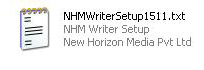
(taken from: http://velang.blogspot.com/2010/11/exe.html)
--
S.Narasimha Rao
Guru Data
SJKT Bagan Serai (ABD3061)
Tel.: 012-5001705
"Save a tree. Please don't print this e-mail unless it's absolutely necessary."
Saturday, April 30, 2011
உபுண்டு இயங்குதளம் புதிய பதிப்பு

இன்றைய கணினி உலகில் விண்டோஸ் இயக்குதளத்தின் ஆதிக்கமே உலகெங்கும் காணப்படுகின்ற போதிலும் அதற்கு போட்டியாக உபுண்டு இயங்குதளம்தான் உள்ளது என்பதை யாவரும் அறிந்ததே.
தற்பொழுது சிறப்பான தொழினுட்ப்பத்தோடும் பல புதிய வசதிகொளோடு உபுண்டு 11.04 என்ற புதிய பதிப்பை அந்நிறுவனம் வெளியிட்ட்டுள்ளது இப்புதிய தொகுப்பின் மூலம் உபுண்டு இயங்குதள பாவனையாளர்கள் முற்றிலும் புதியதொரு அனுபவத்தை பெற்றுக் கொள்ள முடியுமென அந்நிறுவனம் அறிவித்திருக்கிறது.
இதைவிட இதன் மற்றுமொரு சிறப்பு என்னவென்றால் உபுண்டு இயங்குதளம் என்றும் எப்பொழுதும் முற்றிலும் இலவசமே அதாவது உபுண்டு ஒரு ஏழைகளின் நண்பன் என்றும் கூடக் கூறலாம்.
இதன் புதிய பதிப்பை இங்கிருந்து தரவிறக்கிக் கொள்ளலாம்.
http://www.ubuntu.com/download
FOR HELP
http://ubuntuforums.org/forumdisplay.php?f=333
(taken from :http://thagavalthulikal.blogspot.com/2011/04/blog-post_29.html)
--
S.Narasimha Rao
Guru Data
SJKT Bagan Serai (ABD3061)
Tel.: 012-5001705
"Save a tree. Please don't print this e-mail unless it's absolutely necessary."
Saturday, April 23, 2011
தமிழில் தேடுவதற்கு கூகிள் தரும் அற்புத வசதி
(taken from : http://nimzath.blogspot.com/2010/08/blog-post_29.html)
Labels: google, Type setting தேடுவது என்று சொன்னால் நம்மில் பலர் செல்லுமிடம் கூகிள் தான்.இன்று நாம் பார்க்கப்போவது கூகிள் மூலம் இலகுவாக தமிழில் டைப் செய்து தேடுவது எப்படி என்று. Search Engine களில் ஆங்கில சொற்களை நேரடியாக டைப் செய்து தேடுவது மாதிரி தமிழ் சொற்களை டைப் செய்து தேட முடியாது.அப்படி Search Engine இல் தமிழில் தேட வேண்டுமாயின் வேறு ஒரு இடத்தில் டைப் செய்து அதை யுனிகோடுக்கு மாற்றி அதை copy செய்து, paste செய்து கொள்ள வேண்டும்.இந்த முறையானது நமக்கு சிரமத்தை ஏற்படுத்துகின்றது.


--
S.Narasimha Rao
Guru Data
SJKT Bagan Serai (ABD3061)
Tel.: 012-5001705
"Save a tree. Please don't print this e-mail unless it's absolutely necessary."
தமிழில் தேடுவதற்கு கூகிள் தரும் அற்புத வசதி
Labels: google, Type setting
தேடுவது என்று சொன்னால் நம்மில் பலர் செல்லுமிடம் கூகிள் தான்.இன்று நாம் பார்க்கப்போவது கூகிள் மூலம் இலகுவாக தமிழில் டைப் செய்து தேடுவது எப்படி என்று. Search Engine களில் ஆங்கில சொற்களை நேரடியாக டைப் செய்து தேடுவது மாதிரி தமிழ் சொற்களை டைப் செய்து தேட முடியாது.அப்படி Search Engine இல் தமிழில் தேட வேண்டுமாயின் வேறு ஒரு இடத்தில் டைப் செய்து அதை யுனிகோடுக்கு மாற்றி அதை copy செய்து, paste செய்து கொள்ள வேண்டும்.இந்த முறையானது நமக்கு சிரமத்தை ஏற்படுத்துகின்றது.ஆனால் Google Search Engine இல் தமிழில் டைப் செய்து தேடும் வசதி இருக்கின்றது என்பது நம்மில் பலருக்கு தெரியாது.Google Search Engine இல் தமிழில் டைப் செய்து தேடுவதற்கு
http://www.google.lk/ என்பதற்கு சென்று,தமிழ் என்பதை கிளிக் செய்யுங்கள்.

உதாரணமாக நீங்கள் thamil என்று டைப் செய்தீர்கள் என்றால், கீழே தமிழ் சம்பந்தமான முடிவுகளை காணலாம்.இது தமிழில் தேடும் சந்தர்ப்பத்தில் மிகவும் இலகுவாக அமையும்.

இனி தமிழில் தேடுவதற்கு யுனிகோடுக்கு மாற்ற வேண்டிய அவசியமில்லை,நேரடியாகவே டைப் செய்து கொள்ளலாம்.
--
S.Narasimha Rao
Guru Data
SJKT Bagan Serai (ABD3061)
Tel.: 012-5001705
"Save a tree. Please don't print this e-mail unless it's absolutely necessary."
Friday, April 22, 2011
Windows up site down problem
(taken from : http://forum.ecoustics.com/bbs/messages/8829/190511.html)
Alt + Ctrl + up or down or left or Right Key will fix the problem on some computers.
--
S.Narasimha Rao
Guru Data
SJKT Bagan Serai (ABD3061)
Tel.: 012-5001705
"Save a tree. Please don't print this e-mail unless it's absolutely necessary."
Alt + Ctrl + up or down or left or Right Key will fix the problem on some computers.
--
S.Narasimha Rao
Guru Data
SJKT Bagan Serai (ABD3061)
Tel.: 012-5001705
"Save a tree. Please don't print this e-mail unless it's absolutely necessary."
Show or hide the Recycle Bin
(taken from : http://windows.microsoft.com/en-US/windows-vista/Show-or-hide-the-Recycle-Bin)
--
S.Narasimha Rao
Guru Data
SJKT Bagan Serai (ABD3061)
Tel.: 012-5001705
"Save a tree. Please don't print this e-mail unless it's absolutely necessary."
The Recycle Bin usually appears on the desktop. If you prefer, you can hide it.
To show or hide the Recycle Bin on the desktop
-
Open Personalization by clicking the Start button
, clicking Control Panel, clicking Appearance and Personalization, and then clicking Personalization.
-
In the left pane, click Change desktop icons, and then do one of the following:
-
To remove the Recycle Bin from the desktop, clear the Recycle Bin check box.
-
To display the Recycle Bin on the desktop, select the Recycle Bin check box.
-
-
Click OK.
Note
Even if you don't choose to show the Recycle Bin, deleted files will still be temporarily moved to the Recycle Bin until you choose to permanently delete them. To turn off the Recycle Bin, see Change the Recycle Bin settings.
--
S.Narasimha Rao
Guru Data
SJKT Bagan Serai (ABD3061)
Tel.: 012-5001705
"Save a tree. Please don't print this e-mail unless it's absolutely necessary."
Thursday, April 21, 2011
போல்டர் மற்றும் பைல்களை பாதுகாப்பாக வைக்க இலகுவான வழி
(taken from : http://nimzath.blogspot.com/2010/09/blog-post.html)
Labels: folder, Windows
--
S.Narasimha Rao
Guru Data
SJKT Bagan Serai (ABD3061)
Tel.: 012-5001705
"Save a tree. Please don't print this e-mail unless it's absolutely necessary."
போல்டர் மற்றும் பைல்களை பாதுகாப்பாக வைக்க இலகுவான வழி
Labels: folder, Windows
இதற்காக வேண்டிய நிறைய மென்பொருள்கள் இருந்தாலும்,மென்பொருள் இல்லாமல் எப்படி செய்வது என்று பார்ப்போம்.எப்படி?என்ற கேள்வி உங்கள் மனதில் தோன்றியிருக்கலாம்.நமக்கு தெரிந்ததுதான் ஆனால் கொஞ்சம் வித்தியாசம் அவ்வளவுதான்.
போல்டரை மறைத்து வைப்பதுதான்.ஆனால் இதை மற்றவர்களால் கண்டுபிடிக்க முடியாது (முடியும் அதைப்பற்றி இங்கு நான் குறிப்பிடவில்லை) போல்டரை பாதுகாப்பாக (மறைத்து) வைக்க
01.பாதுகாப்பாக வைக்க நினைக்கும் அனைத்து பைல்களையும் ஒரு போல்டரினுல் வைத்து விடுங்கள்.
02.attrib nimzath +s +h இதை copy செய்து notepad இல் paste செய்து,விரும்பிய பெயரை கொடுத்து bat ஆக சேமியுங்கள்(new.bat,இதை சேமிக்கும் இடம் இப்படி அமைய வேண்டும்,உதாரணமாக உங்கள் போல்டர் இருக்கும் இடம் C:\nimzath என்றால் bat File ஐ C:\ இனுல் சேமியுங்கள், nimzath என்பதற்கு உங்கள் போல்டரின் பெயர் வரவேண்டும்.)
03.இப்போது bat file ஐ open செய்யுங்கள்,உங்கள் போல்டர் கானாமல் போய்யிருப்பதை காண்பீர்கள்.இது Folder option இல் show hidden files and folders என்பதை தெரிவு செய்து கொண்டால் கூட இந்த போல்டர் தெரியாது( Folder option இல் இதை தெரிய வைக்க முடியும் அது நமக்கு தேவையில்லை)
04.போல்டரை தெரிய வைப்பதற்கு attrib nimzath +s +h என்பதில் உள்ள + ஐ - ஆக மாற்றிவிட்டால் சரி(attrib nimzath -s -h)
--
S.Narasimha Rao
Guru Data
SJKT Bagan Serai (ABD3061)
Tel.: 012-5001705
"Save a tree. Please don't print this e-mail unless it's absolutely necessary."
Monday, April 18, 2011
YOU TUBE தளத்தில் இருந்து மென் பொருளின்றி வீடியோ வினை தரவிறக்கம் செய்ய 10 வழிகள்
(taken from : http://mahaa-mahan.blogspot.com/2011/04/you-tube-10.html)
YOU TUBE தளத்தில் இருந்து மென் பொருளின்றி வீடியோ வினை தரவிறக்கம் செய்ய 10 வழிகள்
கொள்ளவும் உதவும் ஒரு மிக சிறந்த தளமாக திகழ்கிறது YOU TUBE
தளம் . இங்கே உள்ள வீடியோ காட்சிகளை மென்பொருளின்
துணையின்றி தரவிறக்கம் செய்ய
பின்வரும் வழிகள் உதவுகின்றன.


1. keepvid . இந்த தளத்தில் URL பாக்ஸ் இனுள் நீங்கள் தரவிறக்கம்
செய்ய விரும்பும் வீடியோ காட்சியின் URL கோட்டினை பேஸ்ட்

2. Download tube. org - இங்கும் URL இணை பேஸ்ட் செய்து விரும்பிய

3. save you tube .com - இங்கும் URL இணை பேஸ்ட் செய்து விரும்பிய

4. Save video download - URL பாக்ஸ் இனுள் நீங்கள் தரவிறக்கம்
செய்ய விரும்பும் வீடியோ காட்சியின் URL கோட்டினை பேஸ்ட்
செய்து டவுன்லோட் பட்டனை கிளிக் செய்வதன் மூலம் தரவிறக்கம் செய்யலாம்
5. Save vid .com - இந்த தளத்தில் ஏற்கனவே பதிவிறக்கம் செய்யப்பட
வீடியோ காட்சிகள் தோன்றுகின்றன .அத்துடன் பிரபலமான
வீடியோக்களும் இங்கே தோன்றுகின்றன . URL கோட்டினை
பேஸ்ட் செய்து டவுன்லோட் பட்டனை கிளிக் செய்வதன் மூலம்

6. catch video - நீங்கள் தரவிறக்கம் செய்ய விரும்பும் வீடியோவின் url கோட்டினை url box இல் பேஸ்ட் செய்து catch என்பதை கிளிக் செய்க .இது
பிளே செய்து வீடியோ வினை பார்க்க முடியும் .
பிளே செய்து வீடியோ வினை பார்க்க முடியும் .
7. video dl - நீங்கள் தரவிறக்கம் செய்ய விரும்பும் வீடியோவின் url

8. DVD video soft - URL பாக்ஸ் இனுள் நீங்கள் தரவிறக்கம்
செய்ய விரும்பும் வீடியோ காட்சியின் URL கோட்டினை பேஸ்ட்
செய்ய விரும்பும் வீடியோ காட்சியின் URL கோட்டினை பேஸ்ட்
செய்து get video பட்டனை கிளிக் செய்வதன் மூலம் தரவிறக்கம்


URL கோட்டினை பேஸ்ட் செய்து டவுன்லோட் பட்டனை கிளிக் செய்வதன் மூலம் தரவிறக்கம் செய்யலாம்
10. you tube தளத்தில் play செய்யவும் . அதன் URL
ஐ copy செய்து உங்கள் address baril pest செய்யவும் .
நீங்கள் copy செய்து pest செய்தது இவ்வாறு அமையும்
http://www.youtube.com/watch?v=pmhaFqshE5U இதில்
kick என்ற சொல்லை நீங்கள் பேஸ்ட் செய்ததில்
youtube க்கு முன்னர் type செய்து செயற்படுத்தவும். http://www. kickyoutube.com/watch?v=pmhaFqshE5U மேலே காட்டியவாறு
இப்போது வீடியோ வினை தரவிறக்கம் செய்வதற்கான
தளம் தோன்றும். அதில் உங்களுக்கு தேவையான மாதிரியை
தெரிவு செய்து மிக சுலபமாக தரவிறக்கம் செய்யலாம்.
ஐ copy செய்து உங்கள் address baril pest செய்யவும் .
நீங்கள் copy செய்து pest செய்தது இவ்வாறு அமையும்
http://www.youtube.com/watch?v=pmhaFqshE5U இதில்
kick என்ற சொல்லை நீங்கள் பேஸ்ட் செய்ததில்
youtube க்கு முன்னர் type செய்து செயற்படுத்தவும். http://www. kickyoutube.com/watch?v=pmhaFqshE5U மேலே காட்டியவாறு
இப்போது வீடியோ வினை தரவிறக்கம் செய்வதற்கான
தளம் தோன்றும். அதில் உங்களுக்கு தேவையான மாதிரியை
தெரிவு செய்து மிக சுலபமாக தரவிறக்கம் செய்யலாம்.
இந்த பத்தாவது தகவல் எனது தளத்தில் ஏற்கனவே சேர்த்திருந்தேன் ;
--
S.Narasimha Rao
Guru Data
SJKT Bagan Serai (ABD3061)
Tel.: 012-5001705
"Save a tree. Please don't print this e-mail unless it's absolutely necessary."
Subscribe to:
Posts (Atom)